Setup
Turn on Incognito monitoring
By default, Incognito windows are not watched at all. Your child could open one and visit any site, with no rules at all. One toggle fixes that.
Do this on your child's device, not this one.
1
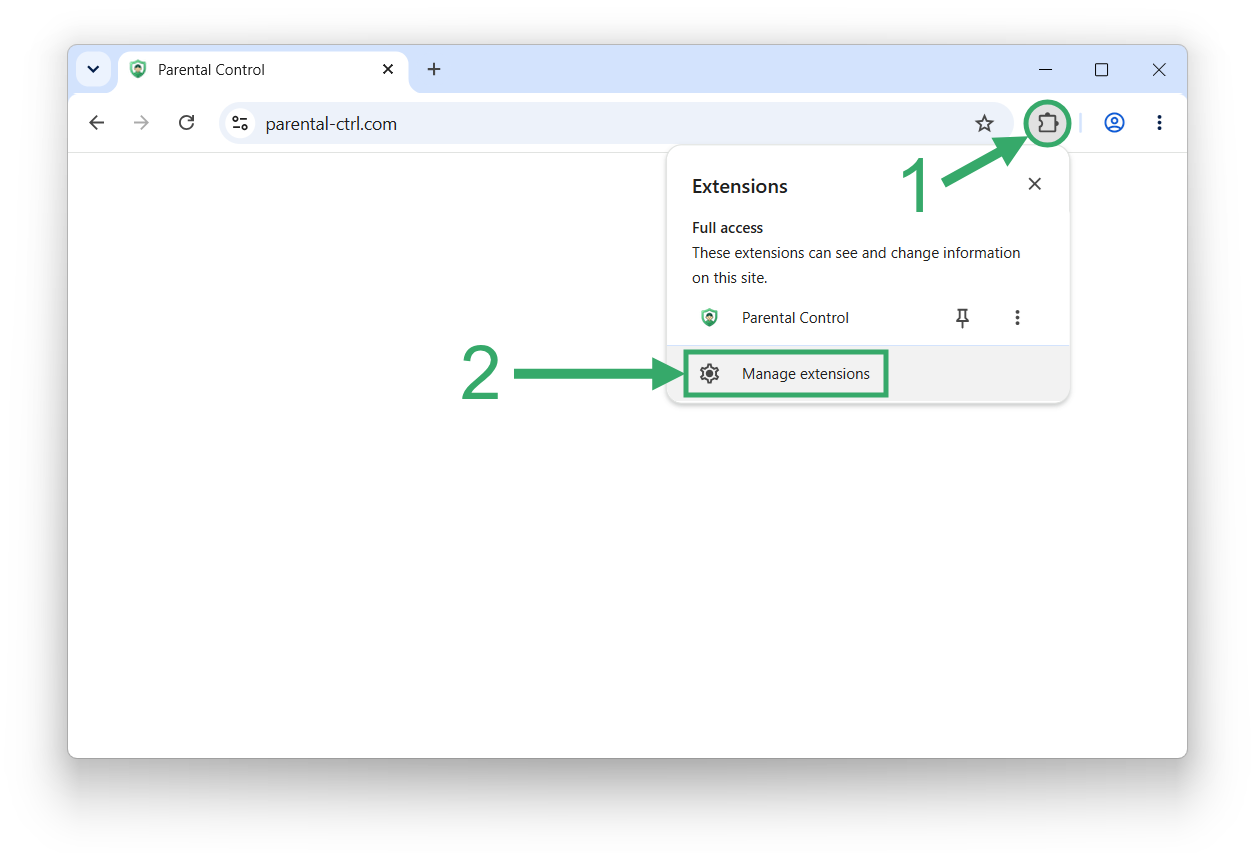
Open the Extensions menu
Click the Extensions icon next to the address bar, then click "Manage extensions".
2
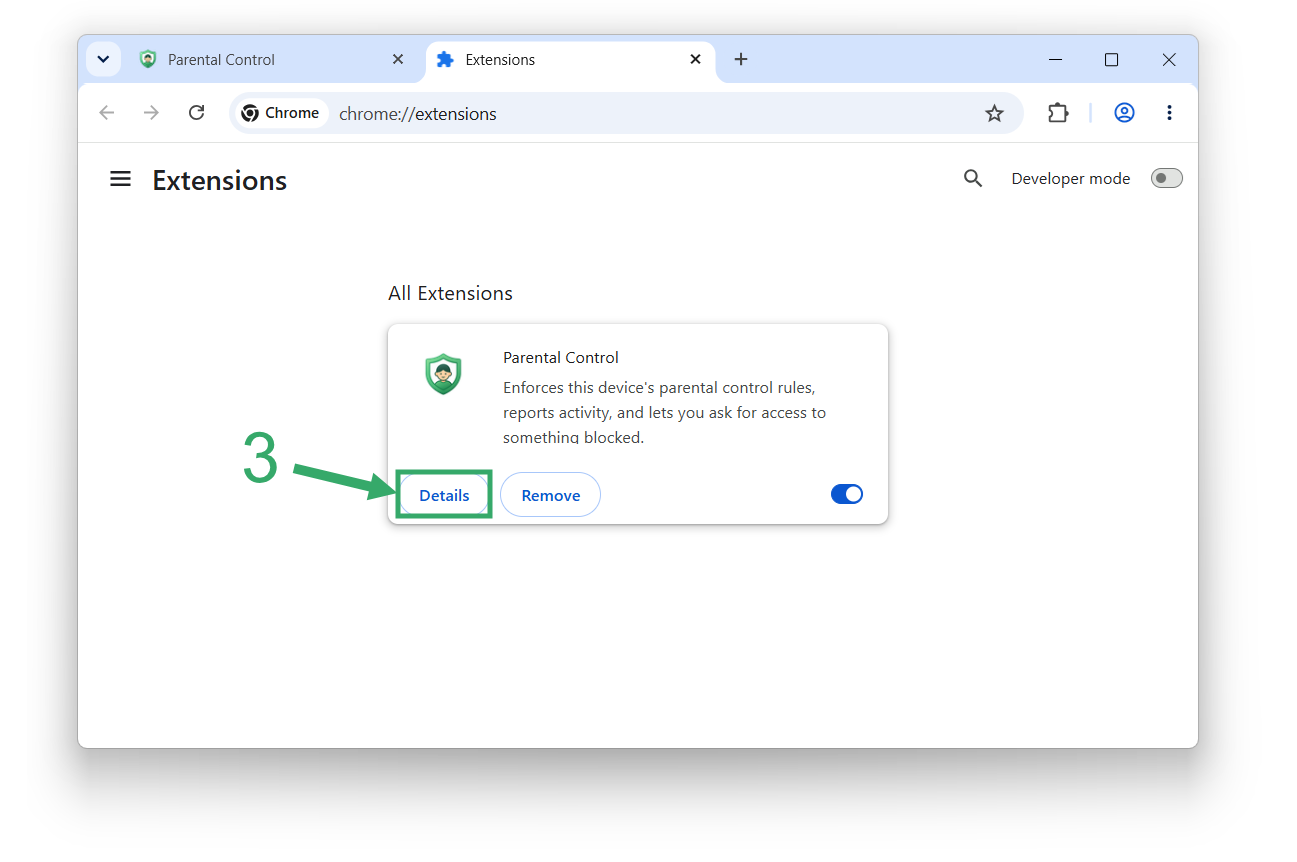
Open Parental Control's details
Find Parental Control in the list, then click "Details".
3
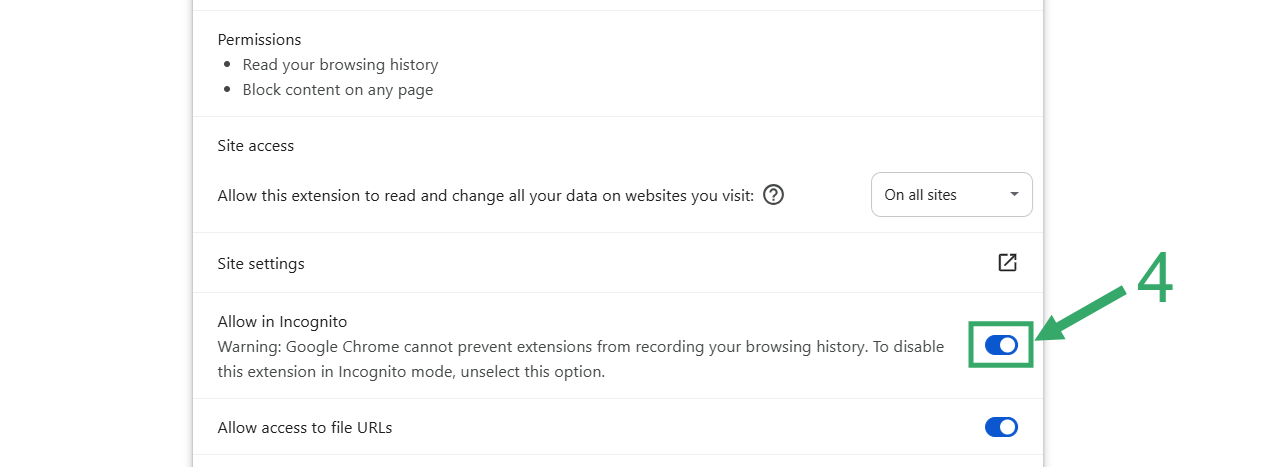
Turn on "Allow in Incognito"
Switch on the toggle in the window that opens.